

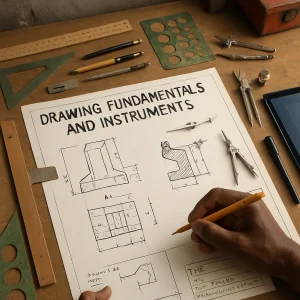
This topic introduces the basic conventions, instruments and good practices for manual and simple digital drafting. It is tailored for beginners working in resource‑constrained African contexts and balances standard technical drawing rules with low‑cost, practical adaptations. The content covers line types, drawing tools (with local alternatives), lettering standards, and title block conventions.
Learning outcomes
- Identify and use the principal line types and their purposes on technical drawings.
- Select and correctly use drawing instruments (manual and simple digital) and low‑cost substitutes.
- Produce clear, standard lettering suitable for technical drawings.
- Create an appropriate title block for manual or simple digital drawings and place required information correctly.
- Maintain drafting instruments and observe safe, efficient workspace practices.
1. Overview of technical drawing principles
Technical drawings are a language for conveying size, shape, assembly and manufacturing information. Clear, consistent presentation prevents misunderstandings that can cause safety issues, rework and waste. Even with simple tools, adherence to basic standards (ISO 128 — presentation of technical drawings; ISO 3098 — lettering) greatly improves communication.
Key general rules
- Use metric units unless otherwise specified. State units clearly in the title block.
- Work to an agreed scale and show that scale in the title block and on the drawing.
- Keep drawings simple, avoiding unnecessary detail. Use separate detail views if needed.
- Maintain consistent line quality, lettering and dimensioning.
2. Line types, meanings and recommended usage
Line types communicate what a feature represents (visible edge, hidden edge, center, section, etc.). Use clear differences in appearance (thickness and pattern). Below are common line types with their function and typical recommendations for manual drafting.
-
Visible (object) line
- Appearance: Continuous, thick.
- Function: Outline visible edges and silhouettes.
- Recommended width: 0.7–1.0 mm (manual pen) or darker pencil (HB/2H firm line).
-
Hidden line
- Appearance: Short dashes, evenly spaced.
- Function: Edges not visible in the current view.
- Recommended width: 0.35–0.5 mm (thin).
-
Center line
- Appearance: Long‑dash, short‑dash (alternating long and short), thin.
- Function: Axis of symmetry, center of holes, path of rotation.
- Recommended width: 0.35–0.5 mm.
-
Dimension and extension lines
- Appearance: Thin continuous lines, with arrowheads or slashes.
- Function: Indicate sizes and distances.
- Recommended width: 0.35–0.5 mm.
-
Cutting plane line
- Appearance: Thick chain line (long‑dash, long‑dash) often with arrowheads and labels (e.g., A–A).
- Function: Position of sectional view.
- Recommended width: 0.7 mm (same prominence as visible lines).
-
Section lines (hatching)
- Appearance: Thin, parallel lines at standard angle (commonly 45°) and uniform spacing.
- Function: Indicate areas cut by a section view; do not confuse with hidden lines.
- Recommended spacing: 2–5 mm depending on scale and area.
-
Phantom line
- Appearance: Long dash, two short dashes, repeated.
- Function: Alternate positions of moving parts, adjacent parts.
-
Break lines
- Appearance: Zigzag or irregular short freehand thick line (short break), or continuous thin line with zigzag (long break).
- Function: Indicate that part is longer than shown and part is omitted.
Practical note: On small sheets (A4/A3), increase line contrast by darkening visible lines slightly and keeping hidden lines delicate so they are still discernible.
3. Line weights and instrument selection
Use a limited set of line widths for clarity. When using technical pens use sizes roughly equivalent to these line widths:
- 0.10–0.18 mm: very fine detail (rarely needed)
- 0.25–0.35 mm: thin lines (dimension, center, section lines)
- 0.50 mm: medium lines (hidden, some center lines)
- 0.70–1.00 mm: thick lines (visible outlines, cutting planes)
With pencils:
- 2H/H: lighter thin construction lines and fine detail
- HB: general drawing and layout
- 2B: darkening visible outlines for final preparation
When resources are limited, one can use a single pencil grade (HB) and vary pressure to obtain different tonal values; however, practice is required for consistent results.
4. Drawing instruments — standard and low‑cost alternatives
Essential instruments and how they are used; alternatives for resource‑constrained settings are noted.
Standard/manual instruments
- Drawing board or flat firm surface with straight edge (T‑square)
- T‑square: align sheet and guide horizontal lines
- Set squares (45° and 30°–60°): draw verticals and common angles
- Scale rule (metric, triangular or flat): measure and lay out to scale
- Mechanical pencils (0.5/0.7 mm) or wooden pencils (H/HB/2B)
- Technical pens (various nib widths) or black ballpoint/fineliners for inking
- Eraser (soft and vinyl) and erasing shield (small metal/plastic plate with cutout)
- Compass: circles and arcs
- Divider: transfer measurements
- Protractor: measure and draw angles
- French curve: non‑circular curves and fillets
- Templates: circles, automotive shapes, lettering templates
- Masking tape or drafting adhesive: hold sheet to board
- Sharpener and small brush for dusting
Low‑cost/local substitutes
- Drawing board: use a sheet of plywood, hardboard or a framed piece of thin plywood.
- T‑square: make from a straight wooden batten and a thin plywood head glued-perpendicular.
- Set squares: cut from durable plastic sheet, or use cardboard templates for repeated use.
- Scale rule: use a steel or wooden ruler and mark scales with permanent marker or engraved lines; photocopy scale from a reliable source and adhere to a stiff card as a temporary rule.
- Compass: improvise using a thumb‑tack pivot and pencil fixed to a strip of wood; use string and two pins for very large radii.
- Templates: cut shapes from recycled plastic (e.g., packaging).
- Technical pens: use fine ballpoint pens (0.35–0.5 mm) for inking; waterproof pigment pens are preferable.
- Erasing shield: make from thin tin or stiff plastic with a small slot.
- Adhesive: use low‑tack masking tape or clip the sheet at the edges.
Digital tools (simple and low cost)
- LibreCAD (free, 2D CAD) — suitable for simple mechanical drawings.
- QCAD (community edition) — lightweight 2D CAD.
- Inkscape — vector drawing for layouts and schematics.
- SketchUp Free (web) — simple 3D for visualisation (less suitable for precise mechanical drawings).
- Tablet + stylus with drawing app (e.g., Autodesk SketchBook, Inkscape drawing) — good for sketching and digital lettering.
- Scanning/photocopying for record keeping and reproduction.
Practical advice on digital selection
- Choose software that supports metric units and simple layers, and has export to common formats (PDF/DXF).
- Keep files small and use common file formats so they can be opened on modest hardware.
- Use a physical template for title block layout that can be scanned and re-used digitally.
5. Lettering standards for manual and simple digital drafting
Legible, standard lettering improves readability and prevents misinterpretation. Use single‑stroke (Gothic) or upright block letters.
Key rules
- Use consistent letter height and spacing.
- Use uppercase only for technical drawings unless lower case is specifically required.
- Maintain a slight spacing between characters — avoid crowding.
- Write slowly and deliberately; use a stencil when necessary.
Recommended lettering heights (examples, in mm)
- General notes and dimensions: 2.5 mm (most common for A4/A3)
- Secondary headings: 3.5 mm
- Main title and drawing name: 5–8 mm (larger for visibility)
- Scale and drawing number: 2.5–3.5 mm
Letter shape and slope
- Style: single‑stroke Gothic (monoline), no serifs.
- Slope: for upright lettering, use 0° (vertical); for inclined style, standard slope is 75° from the baseline (approx. 15° italic), but upright is preferred for mechanical drawings.
- Stroke width: consistent relative to letter height (thin, even strokes).
Practical manual methods
- Use a lettering template/stencil or make a simple guide with ruled parallel lines (baseline, cap line, x‑height).
- For headings, use double‑stroke technique: first draw light construction shapes, then darken final strokes.
- For low‑cost reproducible lettering, create a stencil on thin plastic (packaging) and use ink or marker.
Digital lettering
- Use vector fonts designed for engineering (e.g., ISO standard fonts or simple sans‑serif fonts).
- Avoid ornate fonts; use monospaced or simple sans serif for clarity.
- Set consistent font size according to scale and sheet size.
Practice exercise (manual)
- On a sheet, draw 4 horizontal guide lines spaced for 2.5 mm letter height. Practice writing the alphabet, numerals, and common abbreviations (Ø, R, ±).
- Prepare a title line in 5 mm letters: “PART NAME — PISTON ROD”.
6. Title block conventions — what to include and layout guidance
The title block is the administrative and identification area of a drawing. It must be complete and readable so the drawing can be used, tracked and referenced.
Essential fields (minimum for resource‑constrained settings)
- Drawing title (clear, concise)
- Drawing number / part number
- Scale (e.g., 1:2, 1:10) and units (mm)
- Sheet size / sheet number (e.g., Sheet 1 of 1)
- Date (drawing created) and revision date(s)
- Drawn by (initials/name)
- Checked by / Approved by (initials)
- Scale bar (optional but useful)
- Projection symbol (first‑angle or third‑angle) — mandatory for orthographic drawings
- Company/organisation or workshop name and contact (optional but recommended)
- Material specification and general notes (if required)
Recommended layout
- Place the title block in the lower right corner of the sheet for consistency.
- Keep the title block area uniform across all sheets of the same set.
- Reserve a revision block (small table) in or adjacent to the title block to record changes.
Example minimal title block (textual layout for A4)
- Top row: Company name (left), Drawing number (right)
- Main box (center): Drawing title
- Below main box (row): Scale | Units | Sheet no.
- Bottom row: Drawn by | Date | Checked by | Rev.
Practical considerations for small workshops
- Use standard paper sizes available locally (A4, A3). Avoid custom large formats unless necessary.
- If many drawings are produced by hand, prepare a stamped title block (rubber stamp) to speed up consistent application.
- For digital work, prepare a title block template in the chosen CAD/drawing program and reuse it.
- Always indicate the projection method with the standard symbol in the title block area.
Projection symbol
- First angle projection: used in many countries outside North America; symbol shows object between observer and plane.
- Third angle projection: used in North America.
- Place the chosen symbol near the title block so users are immediately aware.
Revision control
- Every time a drawing is changed, increment the revision (A, B, C or 0, 1, 2), record the date, and the reason/description of change.
- Maintain a master list of drawings (index) if several drawings are in circulation.
7. Practical guidance: combining manual and simple digital methods
- Start with a manual sketch to work out ideas; then transfer to a clean manual drawing or digital tool.
- If scanning is available, keep scanned copies of final manual drawings for electronic backup.
- Use simple CAD for repeatable parts or when frequent revisions are expected. Manual drafting is faster for one‑off or simple sketches.
- Maintain one consistent title block across manual and digital drawings to ease identification.
Low‑cost workflow example
- Prepare an A4/A3 template with pre‑ruled border and stamped title block.
- Sketch and dimension by hand; ink the final drawing with a fine pen.
- Photocopy or scan final drawing for distribution and record‑keeping.
- If digital changes are required, import scanned drawing into a vector program and trace key elements.
8. Care, storage and safe practices
- Keep instruments clean and dry. Wipe metal edges and rulers to prevent rust.
- Store pencils and pens in a roll or box to avoid breaking points.
- Keep compasses and sharp instruments capped or in a holder to prevent injury.
- Replace worn templates and erasers regularly; damaged stencils produce irregular lettering.
- Store drawings flat in folders or roll loosely in tubes; avoid folding finished drawings when possible.
9. Suggested practical exercises (assessment)
- Line practice sheet: draw 10 parallel visible lines, 10 hidden lines, 5 center lines, and 5 dimension lines using appropriate instruments and spacing.
- Lettering test: produce one title line at 5 mm and three lines of general notes at 2.5 mm. Use stencil or freehand.
- Title block: design and draw a complete title block on A4, include projection symbol and a simple revision block.
- Combined drawing: create a scaled orthographic drawing of a simple part (e.g., bracket) showing visible, hidden and center lines, section view with hatching, full dimensioning and completed title block.
- Low‑cost adaptation: make or document an improvised drawing instrument (e.g., wooden T‑square) and demonstrate its use.
Assessment criteria
- Correct line types and weights used consistently.
- Legible, consistent lettering at recommended heights.
- Title block contains essential information and is placed correctly.
- Dimensions are clear, unambiguous and to scale.
- Neatness and overall presentation.
10. References and standards (recommended)
- ISO 128: Technical drawings — General principles of presentation.
- ISO 3098: Technical product documentation — Lettering.
- Local or national standards may apply; where available, refer to national engineering drawing standards.
- Practical drafting manuals and workshop guides.
End note
Adherence to these fundamentals produces drawings that are understood by colleagues, fabricators and clients. In constrained environments, pragmatism and consistency are essential: developing reliable local templates, re‑usable stencils, and a practiced manual technique will enable high‑quality technical communication without expensive tools.