Back to Course
Top Teacher Theory 1: W
0% Complete
0/0 Steps
-
Welcome to Top Teacher Theory7 Topics
-
How People Learn24 Topics
-
Behaviorism in practice
-
A simple lesson flow using behaviorist steps (example: multiplication fluency)
-
Cognitive approaches
-
1) Memory — the constraints and opportunities
-
2) Attention — the gatekeeper of learning
-
3) Processing — surface vs deep; serialistic vs holistic; Kolb’s cycle
-
4) Developmental & content sensitivity (Piaget + brain findings)
-
5) Metacognition and targeted learning
-
6) Social constructivism: learning together is powerful
-
7) Assessment and feedback — formative as the engine
-
8) Practical design checklist for a cognitively-smart lesson
-
9) Adapting for different learner strategies and styles
-
10) Short sample micro-lesson (45 minutes) — topic: density (ages 11–12, concrete-operational)
-
11) Five small changes you can make next lesson
-
Constructivism and active learning
-
Practical teacher moves: how to support learning-by-doing
-
Short example lesson — “Three-legged stool” (transfer-focused)
-
Sample teacher checklist for active, constructivist lessons
-
Social and motivational factors
-
Peers and group dynamics — social constructivism in practice
-
Identity, self‑concept and subject‑specific esteem
-
Motivation: intrinsic vs extrinsic (and why rewards can backfire)
-
Classroom practices — before, during and after teaching
-
Responding to the “unstable” or “rejected” student
-
Behaviorism in practice
-
Understanding Learner Development17 Topics
-
Developmental trajectories
-
From “pre-structural” to “abstract” — levels of information processing you’ll see
-
Vygotsky and social constructivism — learning is social
-
Practical classroom strategies by age band (concise)
-
Individual differences
-
Special educational needs
-
Before teaching: gather info & plan inclusively
-
During teaching: practical classroom strategies
-
Quick classroom tools (printable in your lesson kit)
-
Sample lesson modification — short example (Math: area of rectangles)
-
Teacher development: keep learning
-
Cultural and language diversity
-
Practical classroom strategies
-
Assessment: fair, supportive, and learning-focused
-
Classroom routines and small activities
-
Dealing with cultural misunderstandings and behavior differences
-
Sample mini-lesson flow (Before / During / After) — practical and brief
-
Developmental trajectories
-
Differentiation and Personalization35 Topics
-
Tiered activities and choice
-
Models of tiered activities
-
Practical, ready-to-use examples
-
Simple choice tools you can implement today
-
A simple Tiered Activity Planner (use for any lesson)
-
Assessment, feedback & grading (don’t hurt self‑esteem)
-
Troubleshooting common issues
-
Mini 45‑minute lesson plan you can try tomorrow
-
Flexible grouping
-
Data-driven grouping: a simple three-step process
-
Types of groups — choose the right one for the learning goal
-
Designing group tasks for targeted growth
-
Practical classroom routines & logistics
-
Avoiding stigma and supporting self-esteem
-
Example: a simple lesson cycle using flexible grouping
-
Dos and don’ts — at a glance
-
Universal Design for Learning (UDL)
-
Practical UDL strategies — structure by the three UDL principles
-
UDL in the lesson cycle: Before → During → After (practical checklist)
-
Mini UDL lesson template (practical, ready to copy/paste)
-
Quick adaptations for common classroom situations
-
Formative assessment & UDL — short how-to
-
EdTech for personalization
-
Practical toolbox (what to use and why)
-
Step-by-step workflow: how to design a personalized lesson with EdTech
-
Sample mini lesson flows (practical examples)
-
Metacognition and self-paced practice (student agency)
-
A short teacher checklist before you launch a personalized EdTech lesson
-
Teacher professional development & finding research / OER
-
Student agency and voice
-
Quick classroom strategies (practical, low‑prep)
-
Scaffolding agency for different students
-
Sample choice menu (middle school science)
-
Feedback language you can use (fast scripts)
-
Quick lesson‑planning checklist for agency
-
Tiered activities and choice
-
Assessment for Learning21 Topics
-
Formative assessment essentials
-
Designing formative tasks that measure metacognition (not just facts)
-
Peer and self‑assessment: routines and norms
-
Using formative data to change teaching (teacher moves)
-
Summative assessment purposefully
-
Design principles for meaningful summative assessments
-
Practical structure: before, during, after the summative
-
Making summative assessment useful for teachers
-
Quick checklist for a purposeful summative
-
Designing rubrics and criteria
-
Practical language: what a descriptor could look like
-
Using rubrics for formative vs summative purposes
-
Rubric design checklist (quick)
-
Short templates you can copy/paste
-
Using assessment data
-
Interpretations: quick rules of thumb
-
Practical step-by-step protocol (use after any assessment)
-
Using summative data to inform teaching (and be fair)
-
Conversation with students: involve them in interpreting their data
-
Short checklist for planning next steps after any assessment
-
A short sample action plan (one-page template)
-
Formative assessment essentials
-
Data-Informed Teaching and Professional Growth27 Topics
-
Learning analytics basics
-
Interpreting results — rules of thumb and actions
-
How to present feedback so it protects self‑esteem
-
Tracking competencies over time
-
Interpreting numbers: averages, dispersion, and what they tell you
-
Targeted interventions
-
Step‑by‑step: design a short targeted intervention
-
Types of short intervention plans (examples)
-
Quick templates you can copy
-
Feedback and self‑esteem — how to avoid damaging motivation
-
Teacher professional learning (short)
-
Communicating progress with stakeholders
-
Concrete formats & visuals that work
-
How to talk about results — ready scripts
-
Parent/caregiver engagement tips
-
Leader communication & professional follow‑up
-
Practical teacher checkpoints (before / during / after)
-
Action steps when dispersion (SD) is large
-
Templates you can copy/paste
-
Dos and don’ts when communicating progress
-
Building data‑informed habits (teacher checklist)
-
Reflective practice and leadership
-
A simple framework to hold in your head
-
Feedback: seeking, giving, and using it
-
Leading real change — a practical step-by-step guide
-
Templates and prompts (ready to copy)
-
Common pitfalls and how to avoid them
-
Learning analytics basics
-
Designing Competence-Focused Curriculum31 Topics
-
Learning outcomes vs objectives
-
Examples: turning objectives into outcomes
-
Align outcomes with assessment and feedback
-
Rubric elements for competence outcomes (suggested criteria)
-
Competency-based sequences
-
Core design principles (what to keep in mind)
-
Step‑by‑step routine to build a competency sequence
-
Practical tips and classroom-ready moves
-
Example: Competency progression (science) — “Run a fair experiment and interpret results”
-
Example: Competency progression (writing) — “Write a persuasive essay”
-
Designing sequences for mixed‑ability classes
-
How Piaget, Vygotsky, Kolb, Ausubel help shape sequences (short)
-
Quick checklist before you teach a sequence
-
Scaffolding and fading support
-
Types of scaffolds (practical list)
-
Sequence: from heavy support to independence
-
Example lesson snippet (middle-school science)
-
How to plan fading (practical steps)
-
Scaffolding for different prior-knowledge levels
-
Using formative assessment to guide scaffolding
-
Quick checklist for teachers (use before/during lessons)
-
Connect scaffolding to motivation and self-esteem
-
Aligning assessment and instruction
-
Step-by-step: Align instruction, practice and assessment
-
Designing assessments that measure competence (not just recall)
-
Assessing metacognitive skills
-
Formative assessment techniques (practical ideas)
-
Feedback that moves learning forward
-
Peer and self-assessment — how to train students
-
Fair grading and motivation
-
Short examples
-
Learning outcomes vs objectives
-
Feedback, Reflection and Metacognition15 Topics
-
Principles of effective feedback
-
Practical templates and sentence stems
-
How to build metacognition through feedback
-
Promoting learner reflection
-
Teaching metacognitive strategies
-
Three core moves to model (what you’ll show students)
-
Sample teacher think-aloud lines (copyable)
-
Adapting for developmental stages & learning styles
-
Formative assessment tasks that measure metacognition
-
Classroom routines & small tools you can adopt tomorrow
-
Sample 45‑minute lesson plan (metacognition embedded)
-
Sentence stems & prompts to teach explicitly (post as a poster)
-
Small collection: metacognitive activities for different ages
-
Measuring success and next steps for teachers
-
Self-assessment and goal setting
-
Principles of effective feedback
-
Classroom Practice and Management22 Topics
-
Active learning techniques
-
Routines, expectations and culture
-
Core classroom routines (with scripts you can copy)
-
Setting expectations — a step-by-step plan
-
Building a learning culture — beyond rules
-
Routines that support different learning styles & developmental stages
-
Tips for students who struggle with routine or social safety
-
Quick templates you can copy
-
Positive behavior approaches
-
Practical classroom systems and routines
-
Responsive strategies for the three student profiles
-
Scripts and micro‑dialogs (copy/paste ready)
-
Feedback and praise that builds self‑esteem
-
Quick classroom activities to build belonging and responsibility
-
A short lesson plan snippet: teaching an expectation
-
Implementation checklist (first 4 weeks)
-
Collaborative learning and peer instruction
-
Practical activities and how to run them
-
Metacognition & reflection (make it explicit)
-
Assessment: using peers without damaging reliability
-
Sample lesson fragment (20–30 min) — ready to use
-
Teacher language / prompts that work
-
Active learning techniques
-
The Capstone - Theory into Practice7 Topics
Participants 3


Lesson Progress
0% Complete
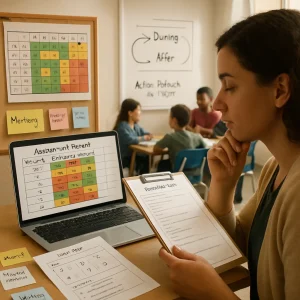
Use the data to answer these teacher‑friendly questions:
- Did most students reach the lesson objective?
- Yes → move on or deepen.
- No → reteach, change task, provide worked examples.
- Is there a big spread (high SD)?
- Target the lower group with scaffolds; offer extension tasks to high performers.
- Consider whether the assessment measured application (transfer) or rote memory.
- Are students confident but wrong?
- That’s a metacognition gap — build reflective discussion, confidence‑calibration exercises.
- Are students unsure but mostly correct?
- Boost self‑esteem with positive feedback and low‑stakes practice — they need reassurance.
- Item(s) with low correct %
- Reteach that specific concept, provide different content/context (Vygotsky: scaffolding helps).
- Whole class low average
- Check alignment: was the test harder than instruction? (Lounaskorpi: large dispersion or mismatch could reflect test fault.)
Action menu (pick 1–2):
- Short reteach using a different modality (visual, hands‑on, analogy).
- Small group instruction for the lower band.
- Pair high + low students for structured peer teaching (social constructivism).
- Give targeted homework with immediate feedback.
- Reassess with a 3‑question follow‑up next lesson.
Quick workflows you can use (weekly micro‑cycle)
Micro‑cycle (for each lesson)
- Before: 3‑question pretest (2–3 min) or quick diagnostic for new topic.
- During: one poll/checkpoint; observe 2–3 learners with a short checklist.
- After: 3‑question exit ticket (5 min).
- Within 24 hours: glance at spreadsheet, compute average and SD, look at item difficulty (10–15 min).
- Plan next lesson: one targeted action (reteach, small groups, enrich).
Monthly deep cycle
- Pre/post for a unit, mastery grid across all skills, attendance trends, and a short student survey about motivation and self‑esteem.
- Share results with students as class goals, and with colleagues for pedagogy adjustments.
Templates you can copy (use immediately)
Exit ticket (3 Q)
- One graded question (MCQ or short answer) — 1 point.
- “How does this connect to something we learned before?” (1–2 sentence)
- Confidence: circle one — confident / somewhat / unsure / lost
Observation checklist (on clipboard, tick when circulating)
- On task (Y/N)
- Asking or answering questions (Y/N)
- Collaborating appropriately (Y/N)
- One note (1 sentence) about a student’s struggle or success
Simple spreadsheet columns
- Student | Pre% | Post% | Q1 correct (1/0) | Q2 correct | Q3 correct | Confidence avg | Notes
- Add conditional formatting: red/amber/green for quick visual.
Mastery grid (skills vs. students)
- Rows = students; Columns = skills; cells = Yes / Partly / No → use counts at top for class snapshot
Please take the quiz to proceed: